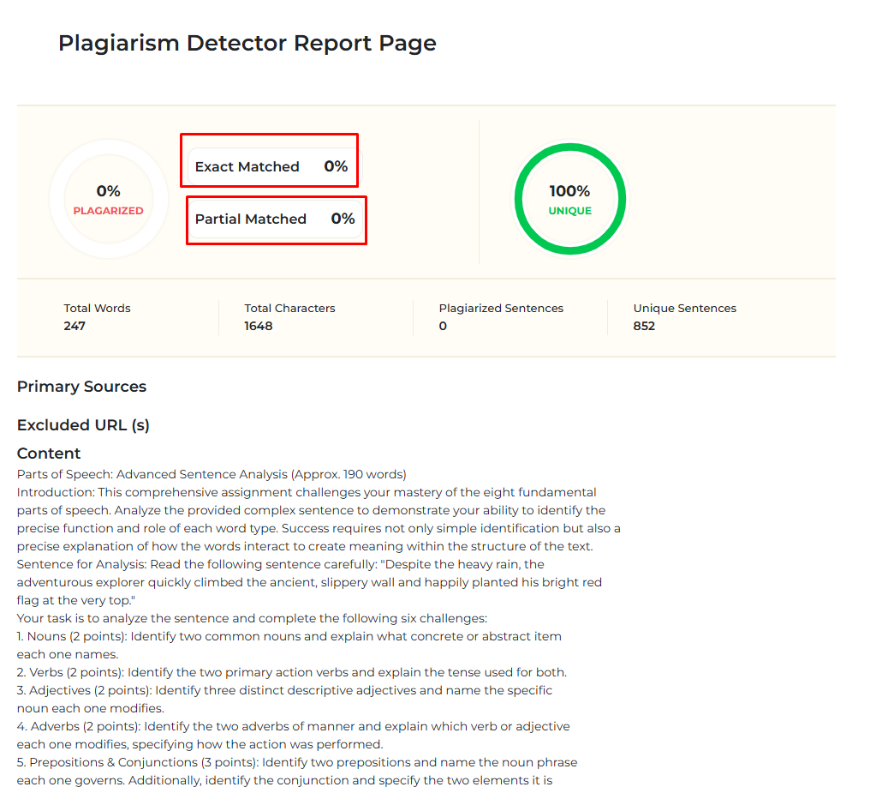
D2L / Brightspace Teacher Guide – LTI v1.3
Log in to your account as assigned by your administration.
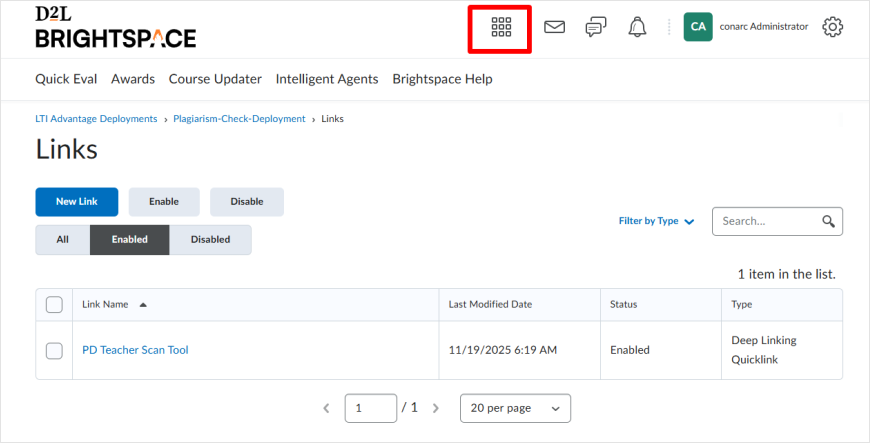
Click on the Select a course button:
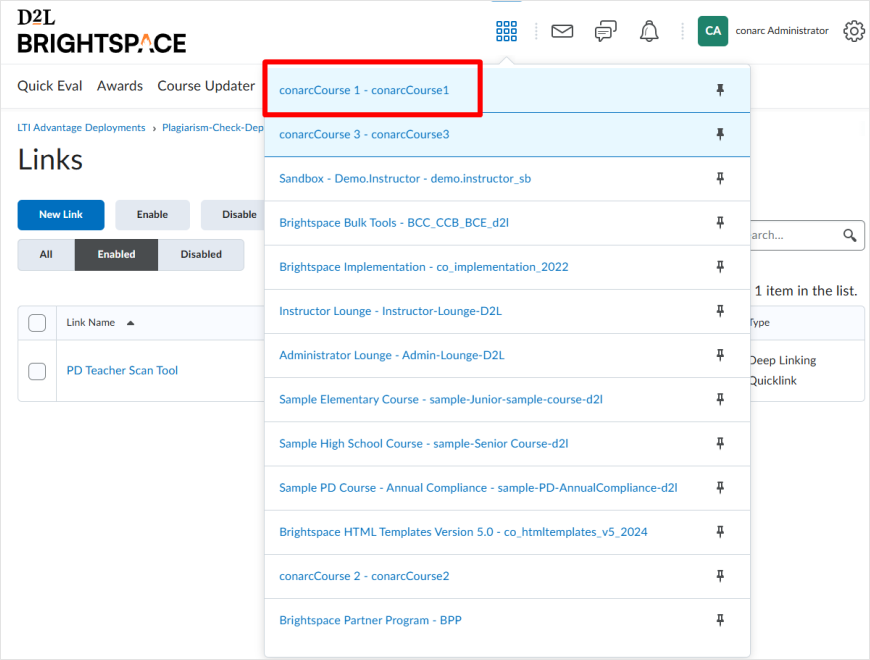
From the menu that appears, choose a course. For this example, we selected conarcCourse1, but you may choose any course where the tool has been added.
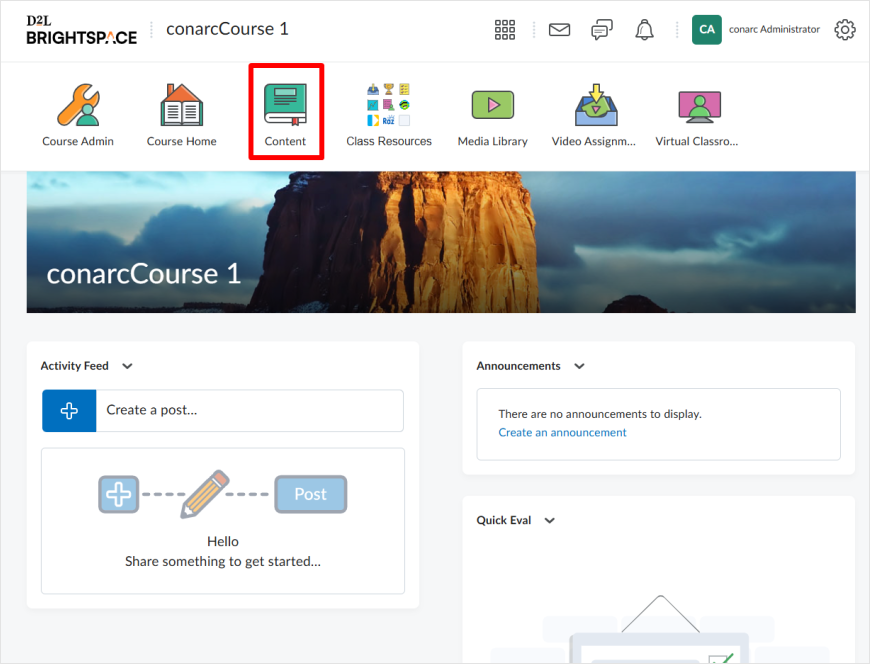
Click on the Content tab:
Click on the Existing Activities button:
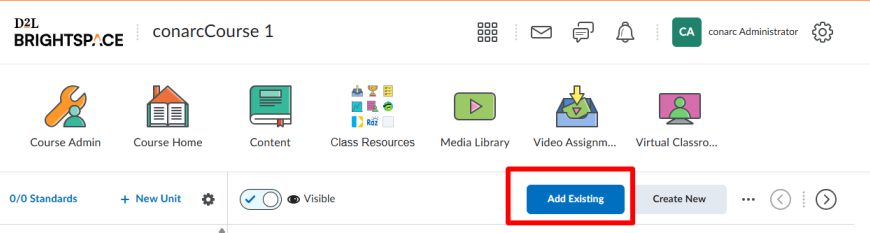
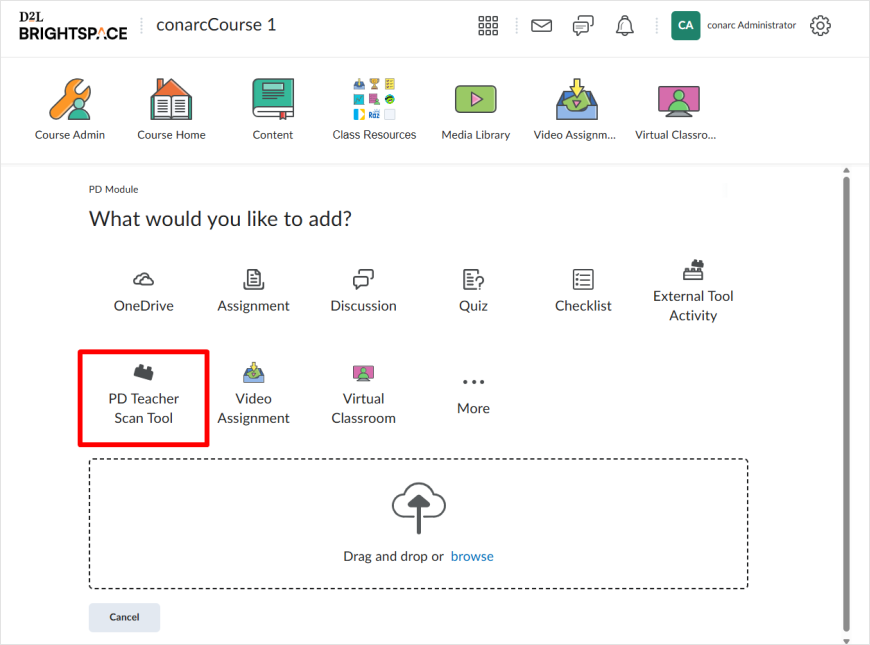
From the menu shown, select the tool link you created. The name that appears will match the one you assigned in the previous step.
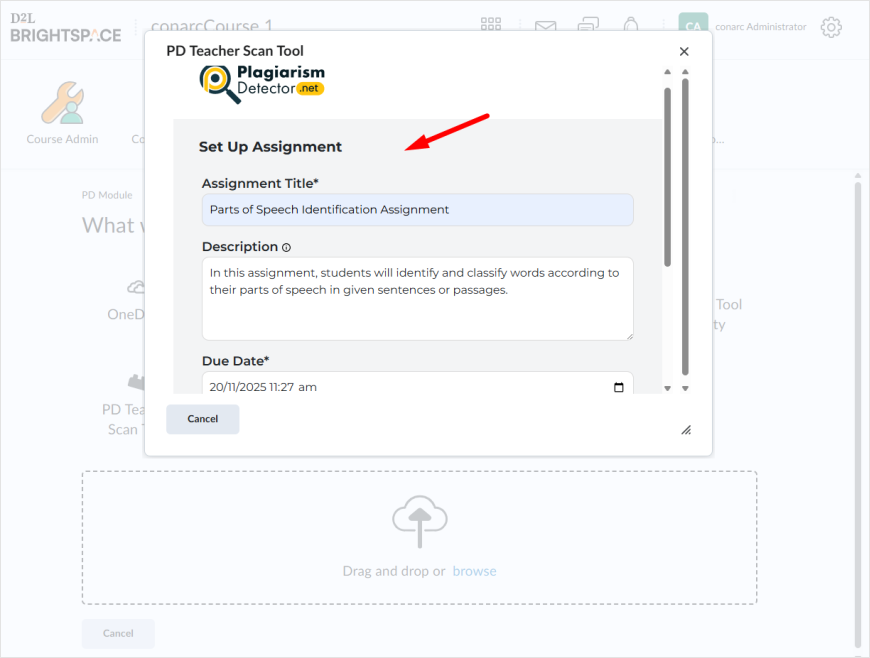
Set up an assignment by adding the following details:
- Assignment Title
- Description
- Due Date and Time
- Maximum Grade
- Maximum Number of Attempts
And click on Submit assignment
The assignment setup is now successfully completed.
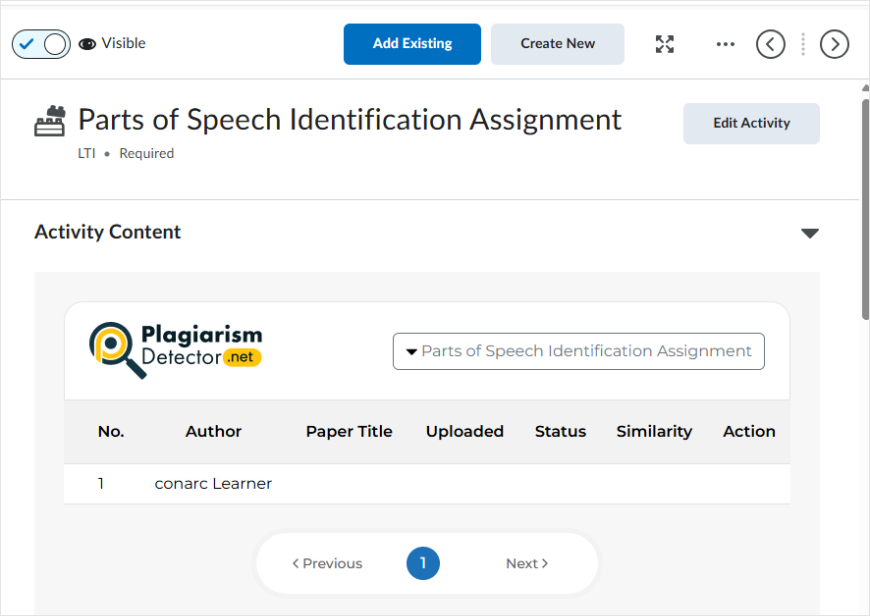
As soon as the student completes the assignment, you will be able to view the results generated by the tool, including a detailed similarity breakdown.